

Building a successful independent ESL business isn’t just about being a great teacher; it’s about being a professional that parents can trust. In our latest session of the “Get Organized” challenge, we dove deep into one of the most stressful parts of the job: Placement and Level Confidence.
If you’ve ever sat in a trial lesson wondering if the material is too hard, too easy, or if your student is actually ready to move up, you aren’t alone. As an instructional designer, I’ve spent years building independent ESL teacher tools specifically to solve this “guessing game.”
Why a Solid Baseline Matters
A clear online ESL placement assessment does more than just help you pick a lesson. When you use a structured system, you:
- Saves Future Replanning: You won’t have to scramble mid-class when a lesson is too difficult.
- Avoids Unnecessary Teaching: Don’t waste time on concepts the student has already mastered.
- Demonstrate Authority: When you can explain the why behind a level choice, parents see you as a professional expert, not just a tutor which is key for long-term retention.
3 Ways to Assess Student Levels
In my work developing the Florentis curriculum, I’ve found that teachers need different tools for different scenarios. Here are the three methods I recommend:
1. The Full Placement Assessment (Complete Baseline)
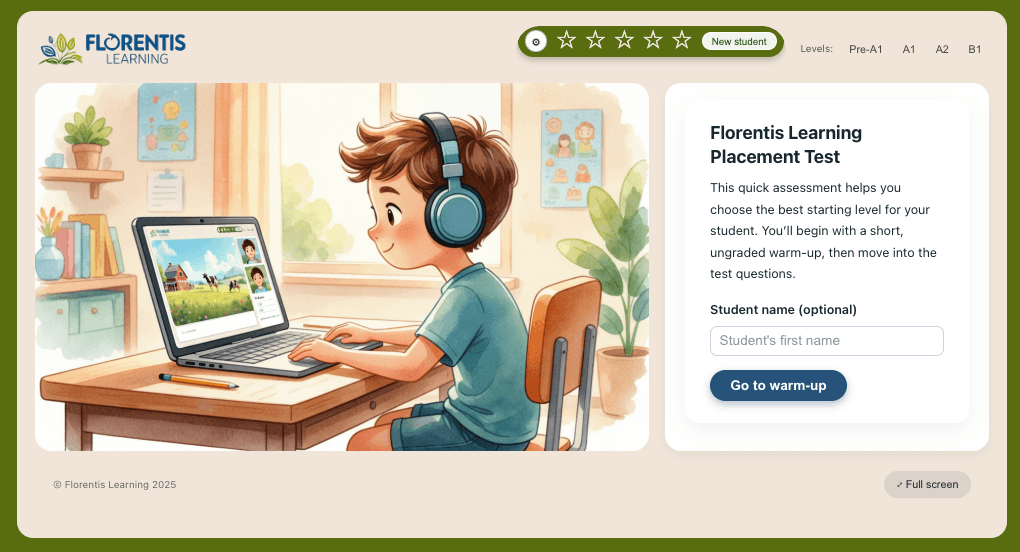
This is the “gold standard” for new students. It covers all four skills (Reading, Writing, Listening, Speaking) to give you a complete picture. At Florentis, our full assessment uses a specific scoring matrix to map students to the correct CEFR levels for kids, ensuring they start exactly where they belong.
2. The Rapid Diagnostic (The 5-Minute Check)
I designed the Rapid Diagnostic Tool for the busy teacher. It’s a 10-question adaptive student level diagnostic that takes about five minutes. It’s perfect for ESL trial lesson tips where you need to show immediate value without overwhelming a new student.
3. Professional Teacher Observation
Never underestimate your own “trained eye.” Watching for fluency, hesitation, and vocabulary gaps is a vital part of the process. I always encourage teachers to use their own judgment alongside digital tools to fine-tune a student’s placement.
How to Document Progress in the Teacher Hub
Once you have your results, it’s vital to log them. Within the Teacher Hub, you can record assessment scores and pre-fill feedback based on the CEFR levels.
After logging the details in the Teacher Hub:
- The information is automatically available on the Parent Report.
- You create a living record you can look back on to show growth (e.g., “Last month they struggled with past tense; now they’ve mastered it!”).
- You’re ready to build a Learning Plan (which we will cover in our next session!).
By logging these details, you are creating a professional paper trail. This transparency is the best way to improve parent communication for tutors. When a parent can see a formal record of their child’s starting point, they are far more likely to commit to a full course of lessons.
Move from Scrambling to Smooth
The Teacher Hub is your back-office partner. Stop chasing schedules and start teaching with a professional system designed specifically for independent ESL tutors.
Final Thought: Referrals and Renewals
Impressed parents talk. When you provide a clear roadmap and professional assessment right from the first encounter, it supports word-of-mouth referrals and improves your renewal rates.
Ready to get organized?
If you’re a subscriber, you can access the ESL Placement Assessment and the Rapid Diagnostic Tool right now in your dashboard. Spend 15 minutes on the baseline now to save hours of second-guessing later.
Frequently Asked Questions
What is the difference between a placement test and a diagnostic?
A placement test provides a full baseline of all skills, while a diagnostic is a “quick check” to find a starting point during a trial lesson.
Want to join our next live session or catch up on the challenge? Visit Florentis Learning and join the Organized Online ESL Teacher Challenge today!

About the Author
Meaghan
Meaghan is a Licensed Canadian Teacher, Instructional Designer, and Software Developer specializing in performance support tools for online ESL educators. As the founder of Florentis Learning, she develops CEFR-aligned curriculum and interactive applications that help independent teachers build a professional, structured practice. She also teaches ESL online, primarily supporting students in China with high-quality, engaging lessons.
Leave a Reply